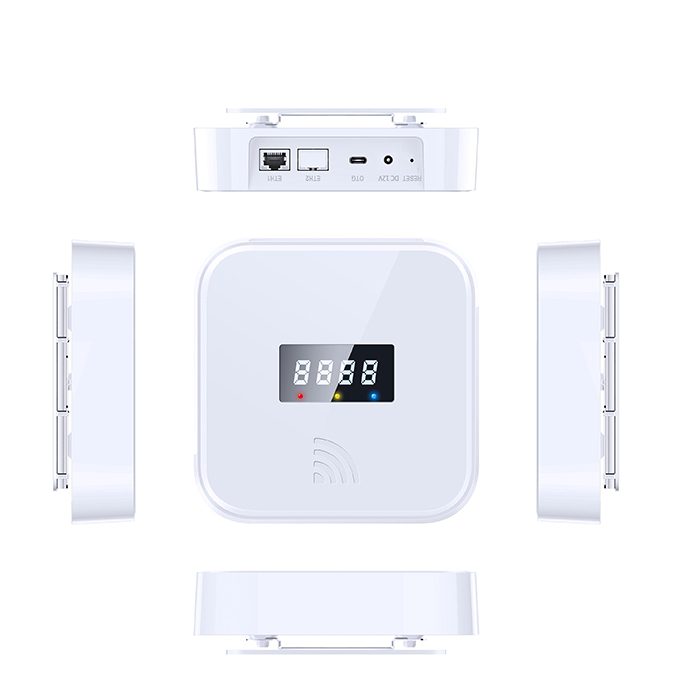
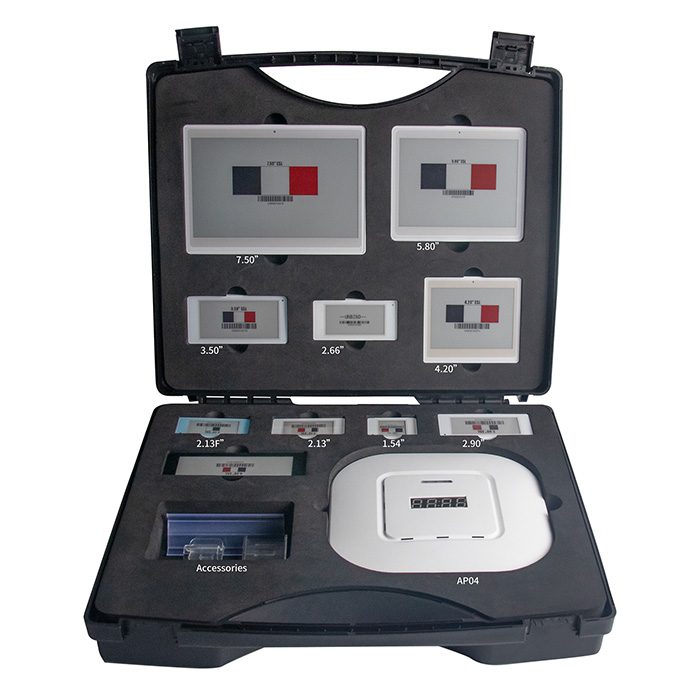
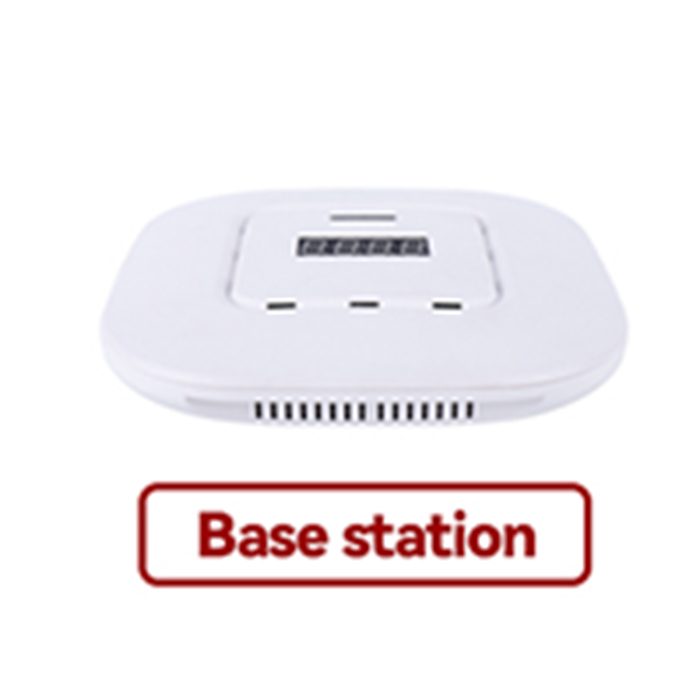
An ESL gateway (base station) is the wireless access point that carries price updates from the management server to the electronic shelf labels on the shelf. The AiEInkSmart AES-AP01 talks to labels on 2.4 GHz over BLE 5.2, connects to your network by Ethernet, PoE or Wi-Fi, and typically covers a radius of 20–25 m indoors.
One base station model serves every AiEInkSmart label series — Swift, Classic, Lite, Slim and Rock, including the freezer and waterproof labels. It is CE-RED certified (certificate BTEK250425109A01CE1).
AES-AP01 specifications
| Item | Specification |
|---|
| Label radio | 2.4 GHz proprietary protocol over BLE 5.2 (compatible with BLE 5.1 / 5.0 / 4.2); four-channel RF module, two transmit and two receive channels |
| Coverage | Typically 20–25 m radius indoors (up to 25 m in non-open environments; depends on shelving and walls) |
| Update throughput | System throughput up to 18,000 label updates per hour for small labels (about 6,000 per hour for 7.5" labels) |
| Network | Ethernet (RJ45), 2.4 GHz Wi-Fi in station or access-point mode |
| Power | PoE (48 V, max. 30 W), 12 V / 1 A DC, or 5 V / 2 A USB Type-C; operating current < 350 mA |
| Processor & storage | Quad-core ARM Cortex-A35, 1 GB RAM, 16 GB eMMC |
| Status display | 4-digit LED segment display; three indicator LEDs (power, operating status, special status) |
| Server link | MQTT to the ESL management system (on-premise or private cloud); multiple server addresses for failover |
| Security | Encrypted signalling with store-level key management |
| Dimensions / weight | 155 × 155 × 35 mm, approx. 332 g, white ABS + PC housing |
| Mounting | Ceiling, wall (vertical) or desktop |
| Operating temperature | 0 to 50 °C (storage −10 to 50 °C) |
| Certification | CE-RED: EN 300 328 (BLE and 2.4 GHz Wi-Fi), EN 301 489-1/-17, EN 55032, EN 55035, EN IEC 62311, EN IEC 62368-1 — see certificates |
| Warranty | 12 months from shipment |
How the base station fits into an ESL system
The management system renders each label image and sends the job to the base station that covers that label. The base station delivers it over the air, then reports each label’s response — battery voltage, temperature and signal strength — back to the server, together with its own heartbeat and run-time status. Label firmware can also be updated over the air through the base station.
Planning coverage: how many base stations?
- Radius: plan on 20–25 m per base station indoors. Metal racks, metal doors, load-bearing walls, glass walls and partitions all shorten the range.
- Height and position: ceiling mounting 3–5 m above the floor works best, at least 1 m from walls and as far as possible from metal objects.
- Overlap: in larger stores, several base stations coordinate automatically, back each other up and let labels roam between them. Plan overlapping coverage so that every aisle is reached by at least two base stations where possible.
- Cold rooms and freezers: doors and insulated walls block radio; place a base station with line of sight to freezer aisles.
- Site survey: because real range depends on the shelving, we recommend a short survey or a floor-plan review before fixing the quantity. Send us your layout and we will suggest positions.
Installation and network setup
Mount the base station, then connect power (PoE, 12 V DC or USB-C) and the network cable. Network settings are made in the base station’s built-in web console, reachable in three ways:
| Method | When to use it |
|---|
| Base-station Wi-Fi (recommended) | Connect a phone, laptop or PDA to the Wi-Fi the base station broadcasts and open its web console. Easiest for first setup. |
| DHCP on the store network | Plug the base station into a switch, find the address your router assigned, and open the web console from any PC on the network. |
| Direct cable to a PC | For sites with no switch or network yet: a long press on the reset key switches the base station to direct-connection mode. |
In the console you enter the management-server address (more than one for redundancy), choose Ethernet or Wi-Fi, and set time synchronisation. The setup is complete when the server shows the base station online. The same console also lets staff add, bind and refresh labels locally, so a store keeps working on site even if the server is unreachable. Change the default console password at first login.
Gateway options
- Standard — the base station works with the AiEInkSmart ESL management system; your POS or ERP connects through the REST API.
- MQTT access — for integrators who want to drive base stations directly from their own server, without our management software. The MQTT protocol covers label updates, templates and fonts, key distribution, time sync, heartbeats and status reports. Licensed separately, typically with the Classic series. See the MQTT version gateway.
FAQ
How many labels can one ESL base station handle?
There is no small fixed label limit; what matters in practice is update speed, with system throughput of up to about 18,000 small-label updates per hour. Large stores add base stations mainly for coverage, and multiple base stations coordinate and back each other up automatically.
Does the base station need Wi-Fi?
No. Ethernet with PoE is the most reliable option; Wi-Fi (station mode) is available where cabling is difficult. The labels themselves never use the store Wi-Fi — they talk only to the base station on 2.4 GHz BLE.
What happens if the internet or the server goes down?
Labels keep showing their last image, because e-paper needs no power to hold it. The base station can store several server addresses for failover, and its built-in web console still lets staff update labels locally.
Can I connect the base station to my own server?
Yes. With the MQTT access option, your platform talks to the base stations directly and our management software is not required.
Does it work with other brands’ electronic shelf labels?
No. The AES-AP01 uses an encrypted proprietary protocol and is designed for AiEInkSmart labels. One base station model covers all AiEInkSmart label series.
Is the base station certified for Europe?
Yes. The AES-AP01 holds a CE-RED attestation of compliance (BTEK250425109A01CE1, Radio Equipment Directive 2014/53/EU) issued to Guangzhou PanPanTech Co., Ltd.
Testing before a rollout? The
ESL demo kit includes a base station, ten labels in different sizes and mounting accessories. For a coverage plan, send your floor plan through the
contact page.