Electronic shelf labels (ESL) let a retailer change every shelf price in a store from one system, in minutes, with the shelf always matching the checkout. This guide covers how ESL works in different retail formats — supermarkets, fresh produce, consumer electronics, toys, pet supplies, DIY and fashion — which label sizes suit which fixtures, how a rollout is planned, and what we have learned from store projects in Asia, Europe and Oceania.
Why retailers switch from paper to electronic shelf labels
A paper price tag looks cheap, but every change behind it costs something. Someone prints the new tags, walks the aisles, finds each position and swaps the tag — and repeats the job when the promotion ends. In a store with thousands of items and weekly promotions, that adds up to many staff hours that are spent on labelling rather than on customers or stock.
The bigger cost is often the mistake that slips through: a shelf tag that still shows last week’s promotion, a price change that reached the POS but not the shelf, or a unit price that was never updated. Customers notice when the shelf and the receipt disagree, and in many markets pricing rules require that the price shown is the price charged.
Electronic shelf labels solve both problems at the source. The shelf price comes from the same data as the checkout price, so they cannot drift apart, and a change made in the POS or ERP reaches every label in minutes. Typical reasons retailers give us for switching are:
- Labour — staff stop printing and swapping tags for every price change and promotion.
- Accuracy — shelf prices match the checkout, which protects customer trust and helps with price-display compliance.
- Speed — promotions start and end on time in every store, including evening and weekend changes.
- Consistency across channels — the same price data feeds the shelf, the checkout and online channels.
- More information on the shelf — unit price, origin, promotion end date, stock notes or a QR code linking to product details.
- Less paper — no more printing, and e-paper only uses power when the image changes.
How an ESL system works in a store
POS / ERP→ESL management system→Base stations→Labels on the shelf
An ESL system has three parts. The labels are battery-powered E Ink displays that clip onto the shelf edge, a hook or a stand. The base stations are mounted on the ceiling and talk to the labels on 2.4 GHz using an encrypted protocol over BLE 5.2; one AES-AP01 base station typically covers a radius of 20–25 m indoors. The management software holds the label templates, receives product and price data from your POS or ERP, and sends each change to the right label. Our ESL management system runs on your own server or private cloud and is sold as a one-time licence.
Labels do not use the store Wi-Fi, and because e-paper holds its image without power, a label keeps showing the last price even if the network or server is briefly unavailable. Each label reports its battery level and signal strength back to the system, so maintenance is driven by data rather than by walking the store.
About the store examples below: these projects were delivered between 2021 and 2023 by our founder Panda Wang and members of our team, before the AiEInkSmart brand launched in 2024. Customer names are withheld; the photos show the installations in use.
Supermarkets and grocery stores
Supermarkets are where electronic shelf labels pay back fastest, because they combine the largest number of price positions with the most frequent changes. A typical store has standard dry-goods shelving, chiller and freezer cabinets, wine and spirits, and promotional end caps — each with slightly different label needs.
Example: urban supermarkets in southern China
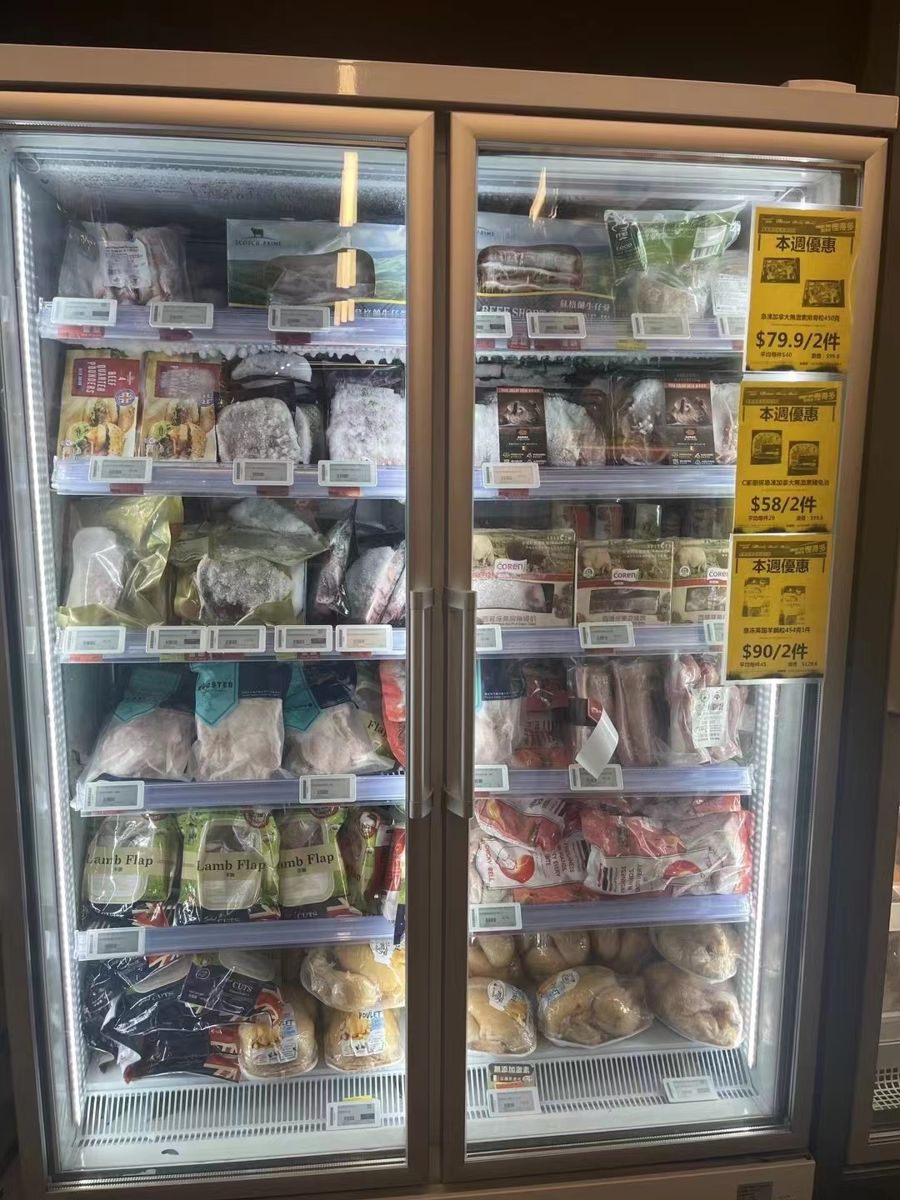
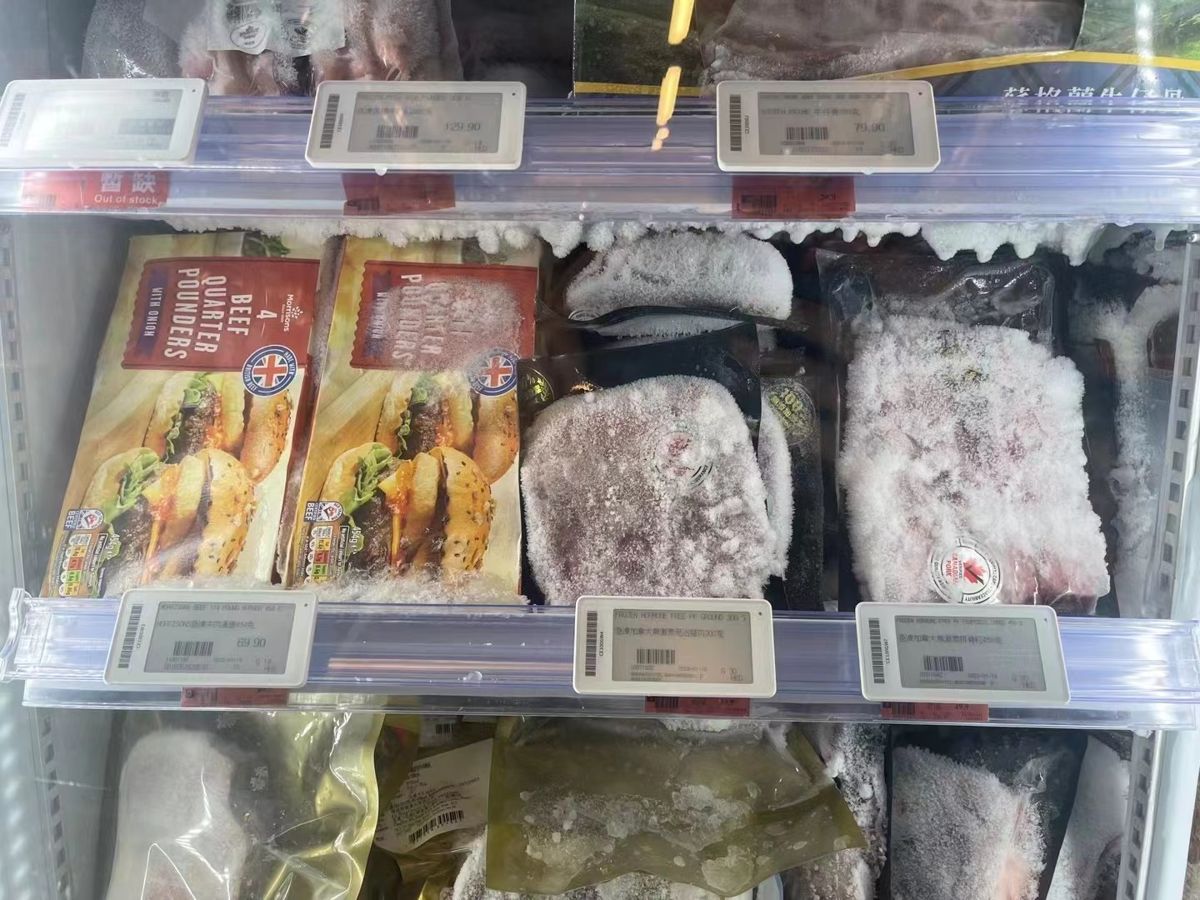
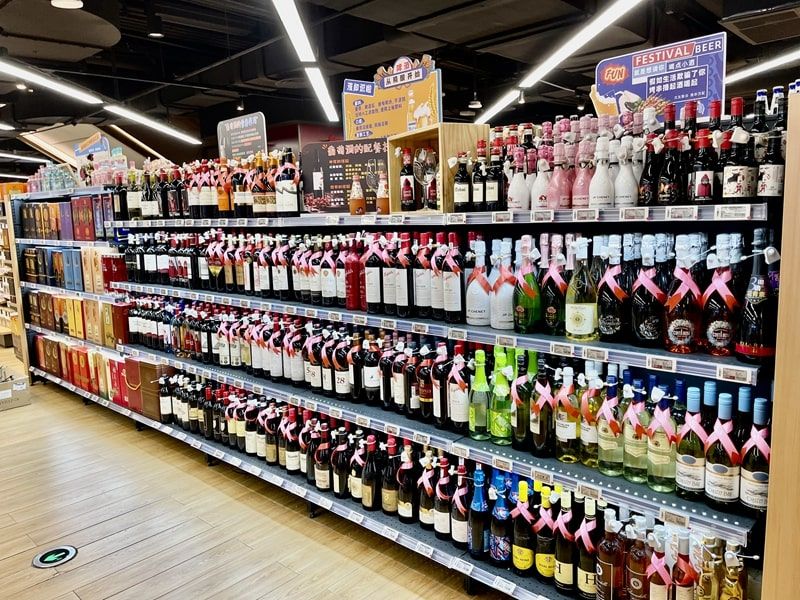
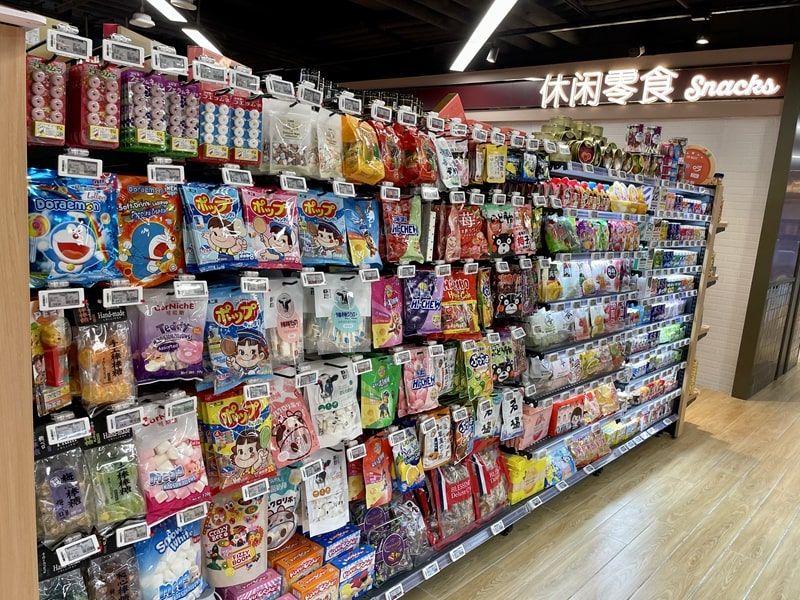
In city-centre supermarkets, labels were installed across the whole store: on the shelf rails of chilled cabinets and freezers, along the wine and spirits aisle, on snack and confectionery gondolas and on wooden display shelving for imported foods. Standard 2.13" and 2.66" labels carried the regular shelf price and unit price, while promotional positions used larger labels so the offer price stood out from a distance.
Two practical lessons from these stores: chiller and freezer doors need labels on the inside rails with a clear view through the glass, and wine aisles benefit from labels that leave room for vintage, region or tasting notes alongside the price.
Chilled and frozen cabinets, wine and snack aisles in city-centre supermarkets.
What works in supermarkets:
- 2.13" labels for most dry-goods positions; 2.66"–2.9" where you want unit price, origin or a promotion line.
- Freezer labels rated from −25 to +30 °C for frozen cabinets.
- Four-colour labels (black, white, red, yellow) so promotions can be highlighted in red or yellow without extra paper signs.
- Larger 4.2"–7.5" labels on end caps and promotion tables.
Fresh produce, bakery and seafood
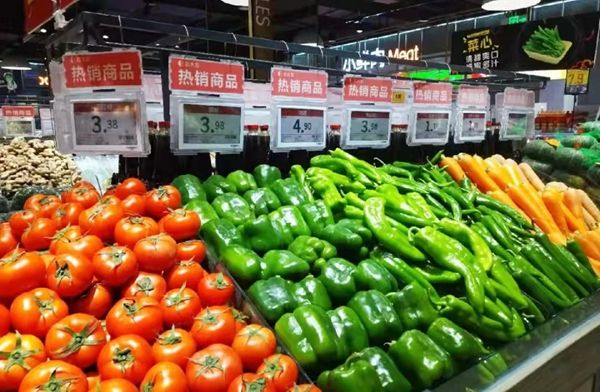
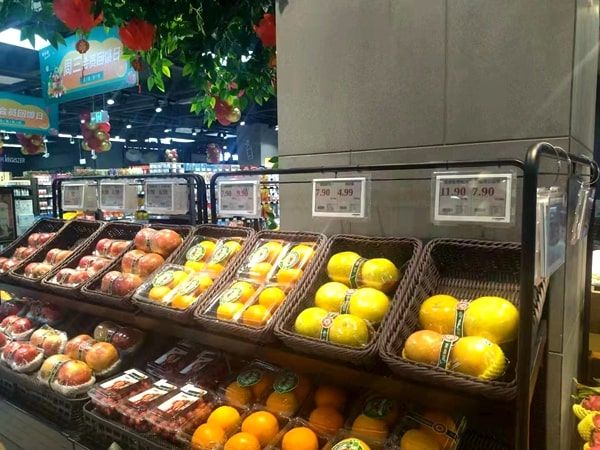
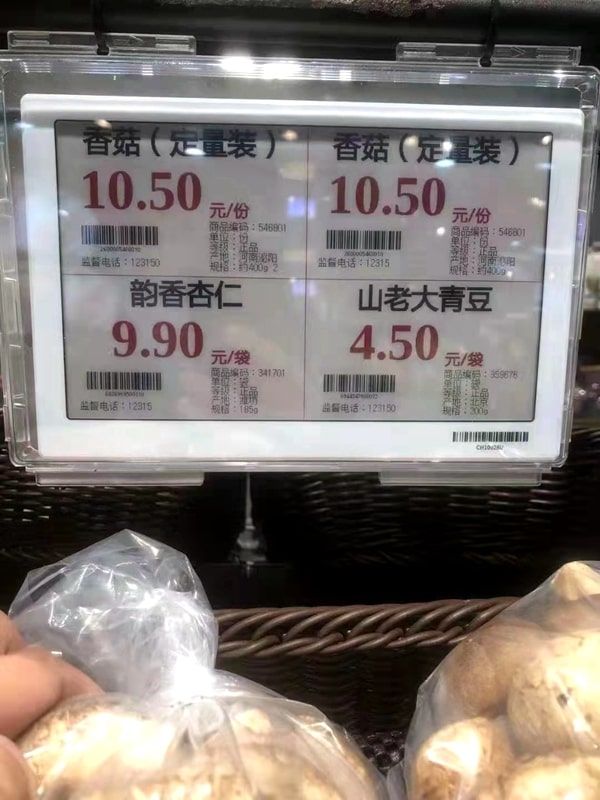
Fresh departments change prices more often than any other part of the store — sometimes daily, as costs, quality and remaining stock change. They are also the hardest environments for a label: misting systems, ice, water and frequent cleaning. Here electronic labels save the most manual work, provided the hardware is chosen for the conditions.
Example: fruit, vegetable and seafood counters
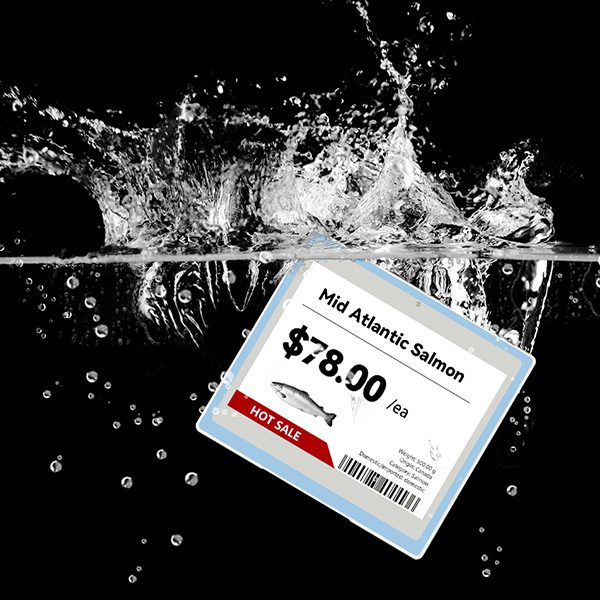
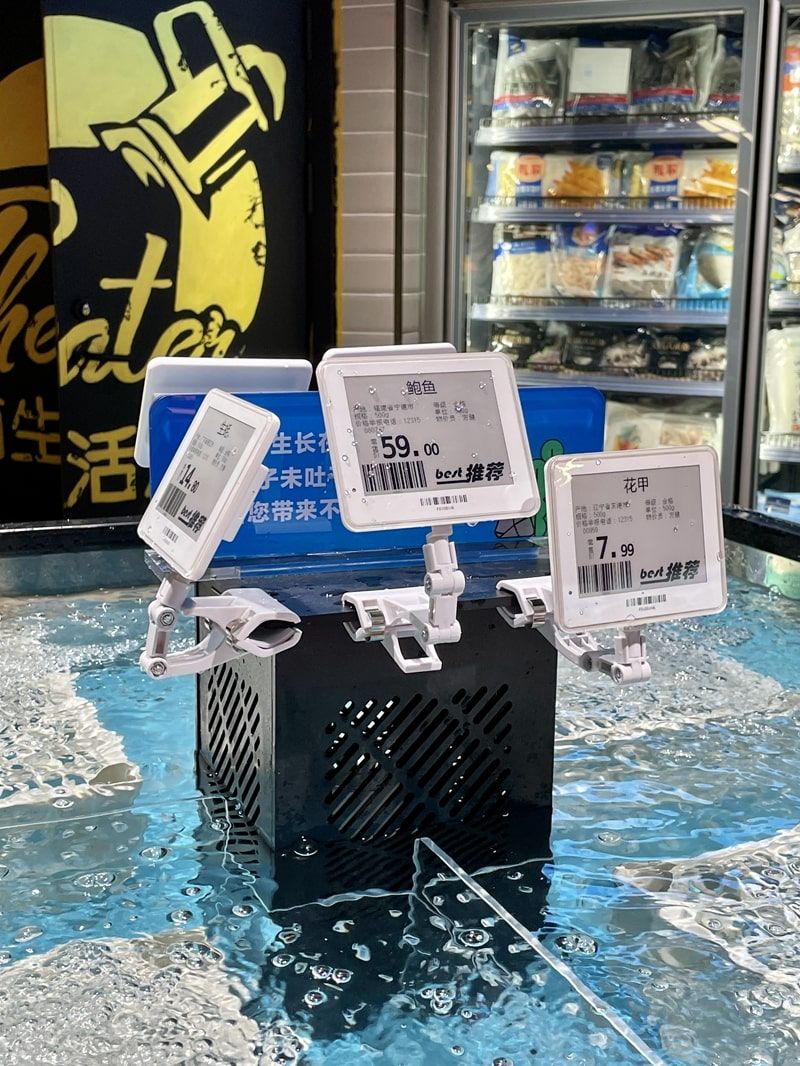
In several fresh-produce departments, labels were mounted on clips above crates of fruit and vegetables and on the front of tiered display tables, so each produce line showed its price per kilogram or per piece. Daily price changes can be sent from the system before the store opens. At a seafood counter, waterproof labels were mounted directly at the live-seafood tanks, where paper tags used to curl and fade within days.
Fruit, vegetable and seafood departments with clip-mounted and waterproof labels.
- Use the 4.2" waterproof label (IP67) for seafood counters, ice beds and misting zones.
- Show the price per kilogram clearly and keep the product name short; shoppers read fresh labels from further away.
- Clip and pole mounts lift labels above loose produce so they stay readable when crates are full.
Specialty retail: electronics, toys, pets, DIY and fashion
Specialty stores have fewer items than a supermarket but more information per item, and their fixtures vary from glass tables to pegboards. Labels here often do more than show a price: they carry specifications, a promotion, a QR code to product details or a “new arrival” flag.
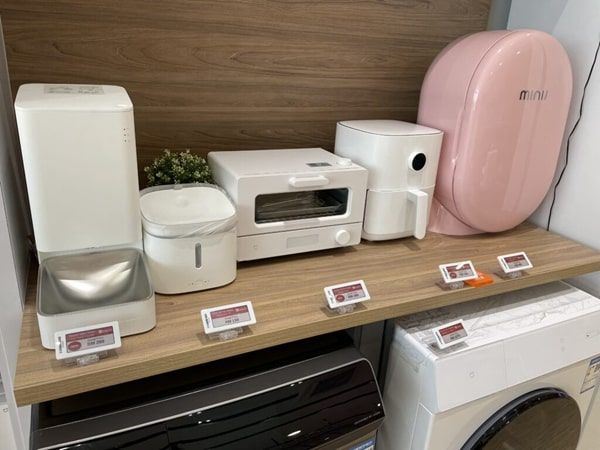
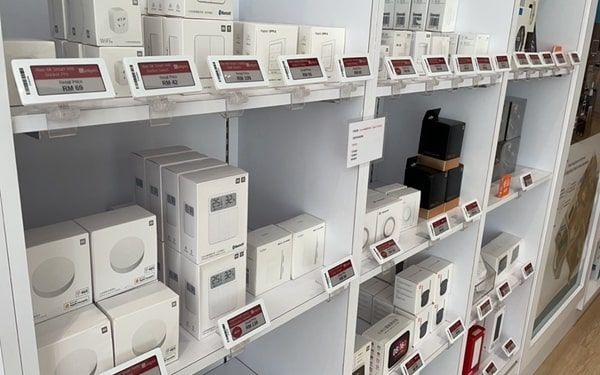
Consumer-electronics store, Malaysia
A smart-home and consumer-electronics store used electronic labels on every shelf and display table, from small accessories to large appliances. Labels on the shelf edge carried the model name, price and a short feature line, so campaign pricing can be switched on for the whole floor without reprinting.
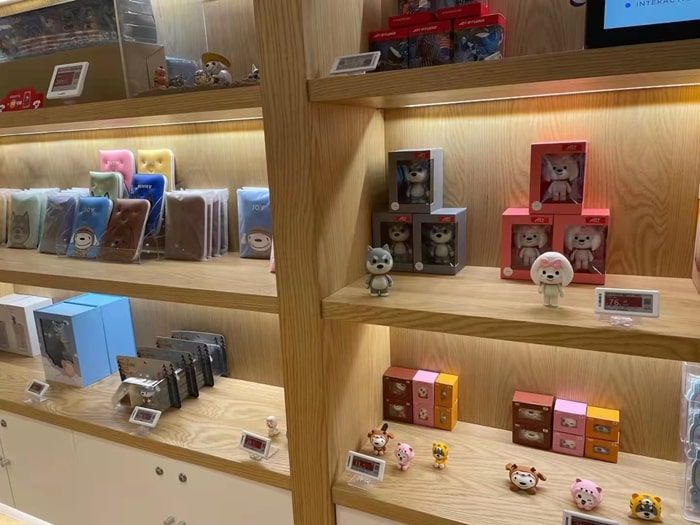
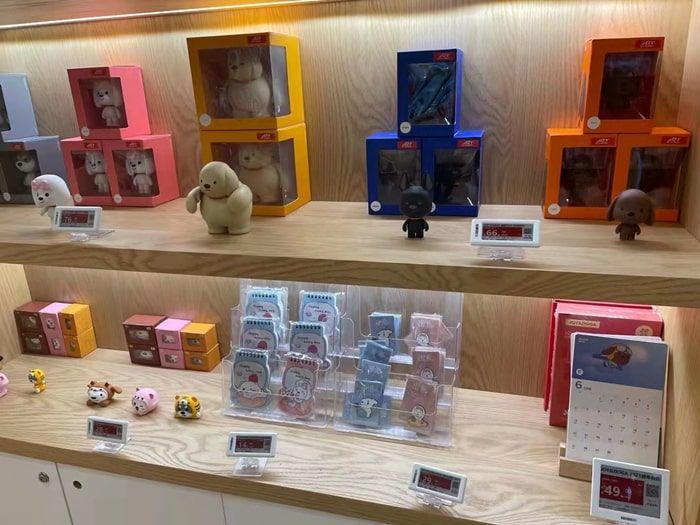
Toy and collectibles store, China
A collectibles and designer-toy store mounted small labels in front of each product on open wooden shelving. Because new series arrive frequently and limited editions sell out, prices and “new” or “last items” notes change often — work that labels handle from the system.
Pet-supplies store, China
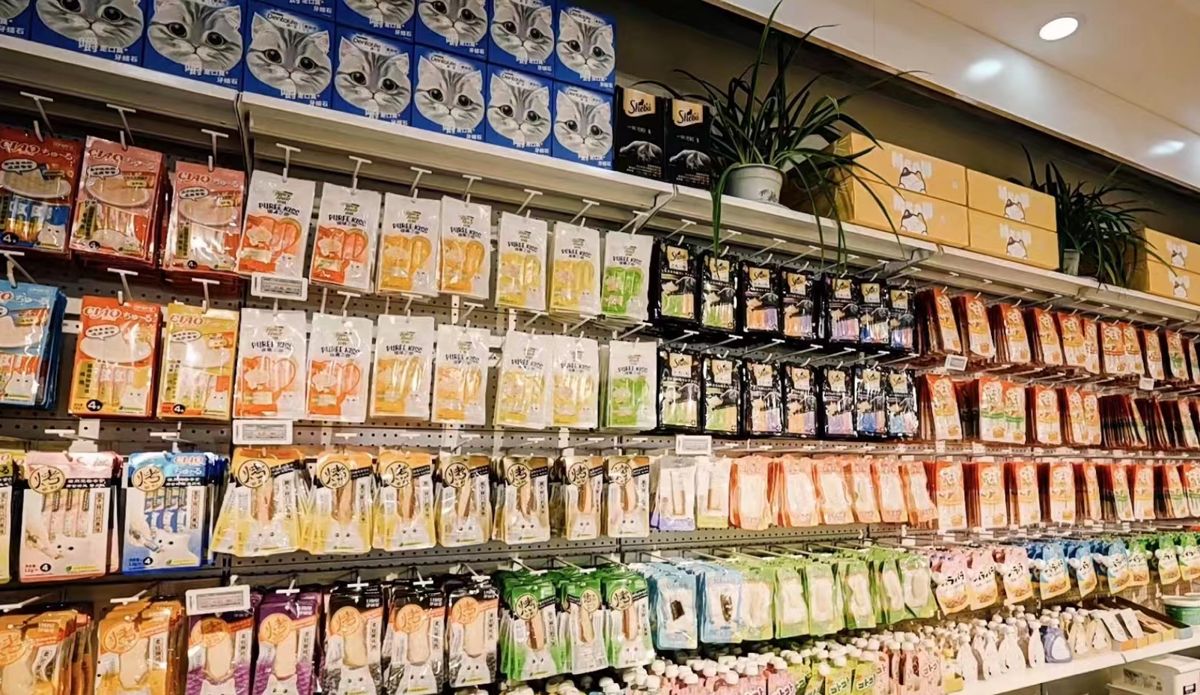
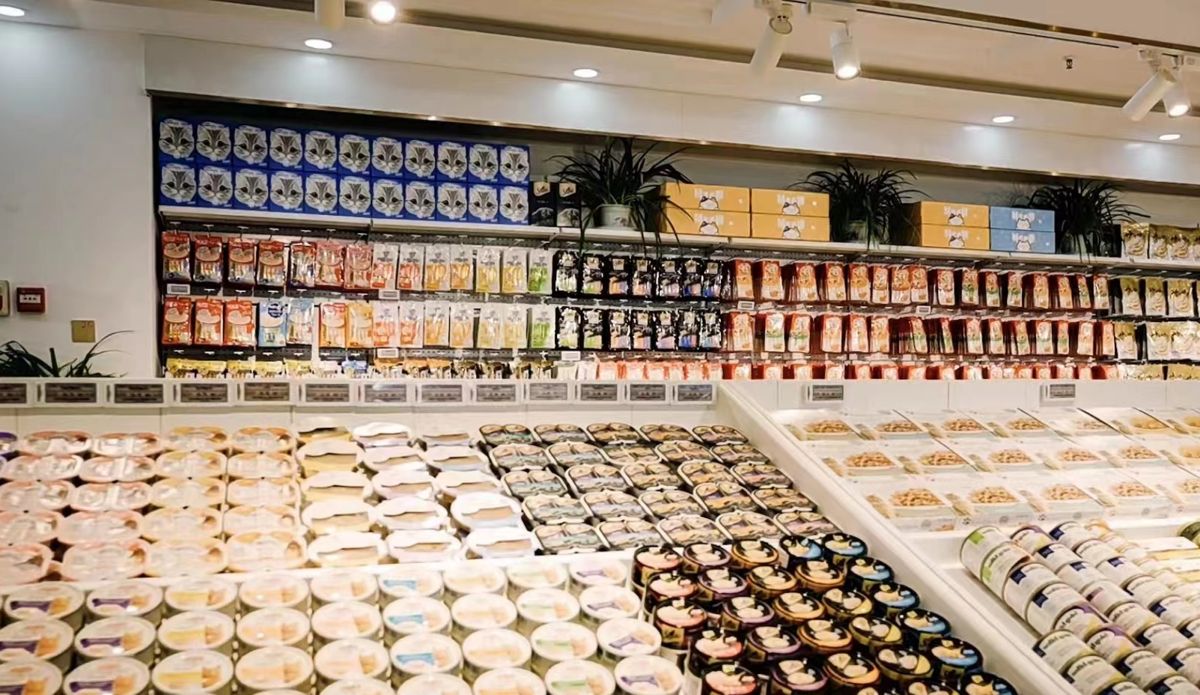
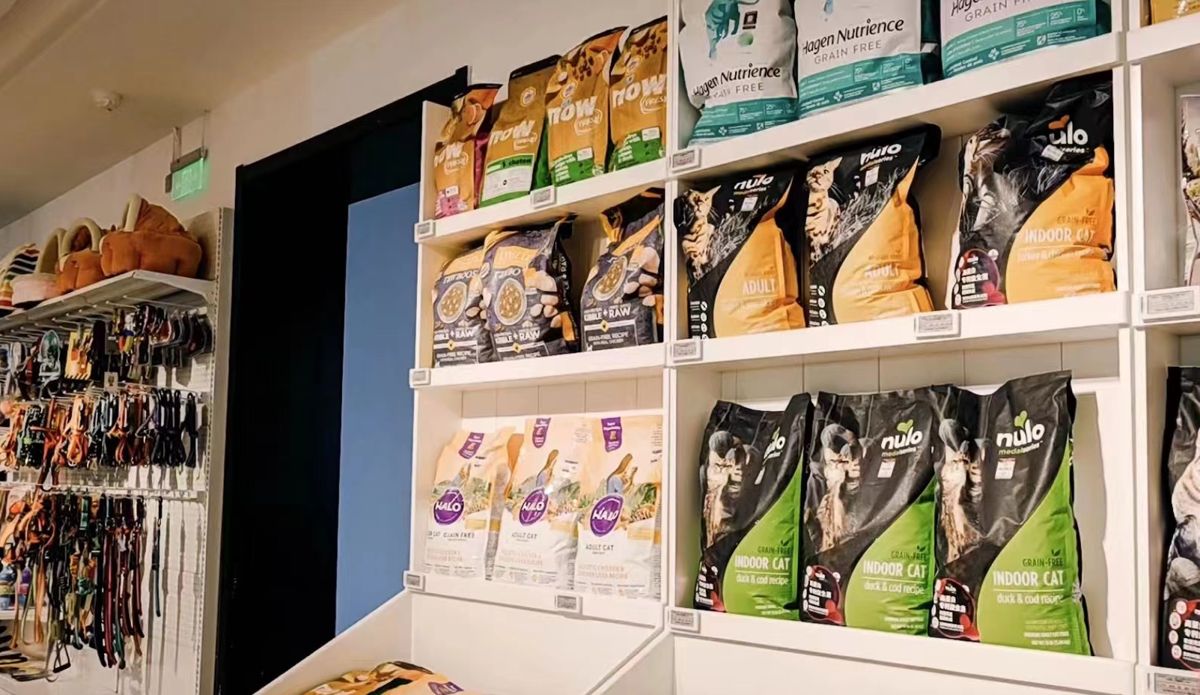
A large pet-supplies store labelled long walls of wet food, treats and dry food, plus tabletop displays of cans. Pet food is sold in many flavours and pack sizes with near-identical packaging, so clear product names and unit prices on each label help shoppers compare.
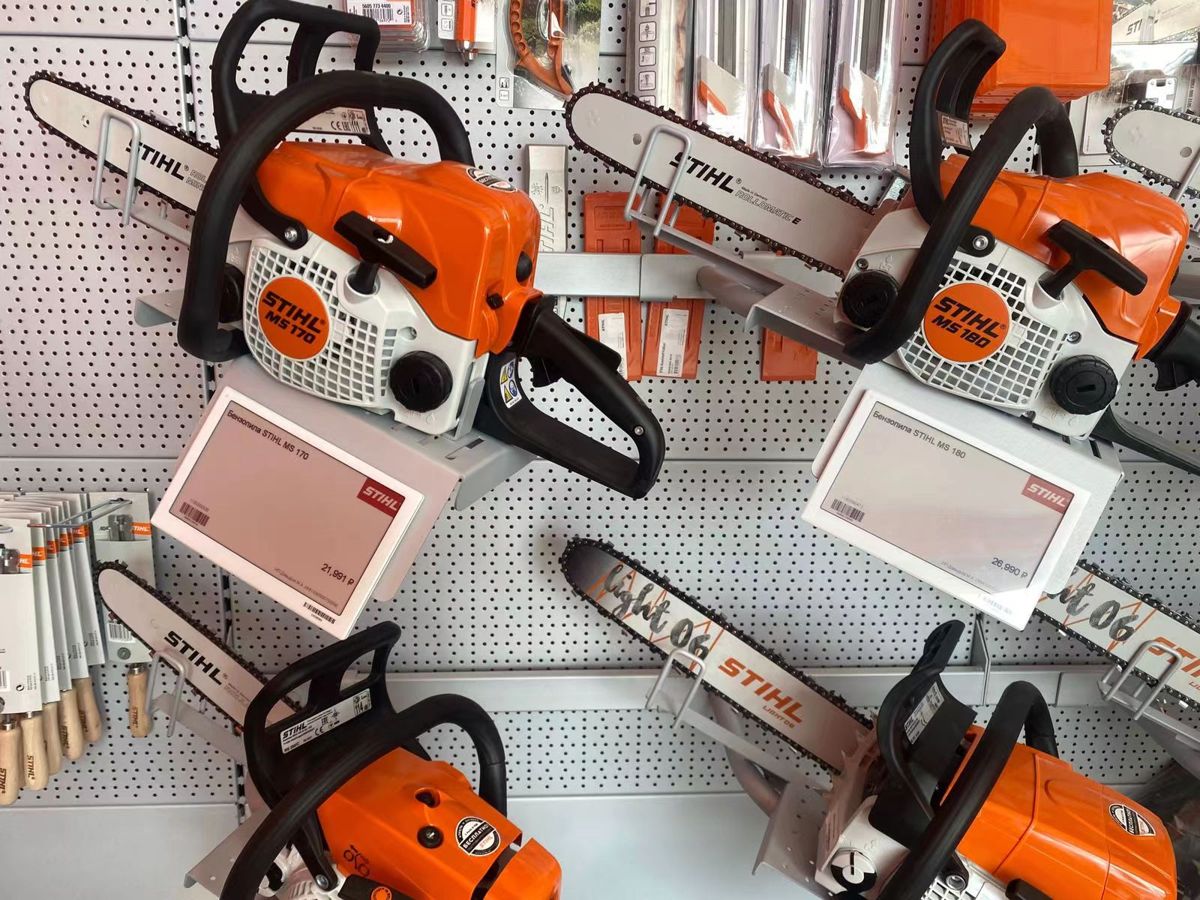
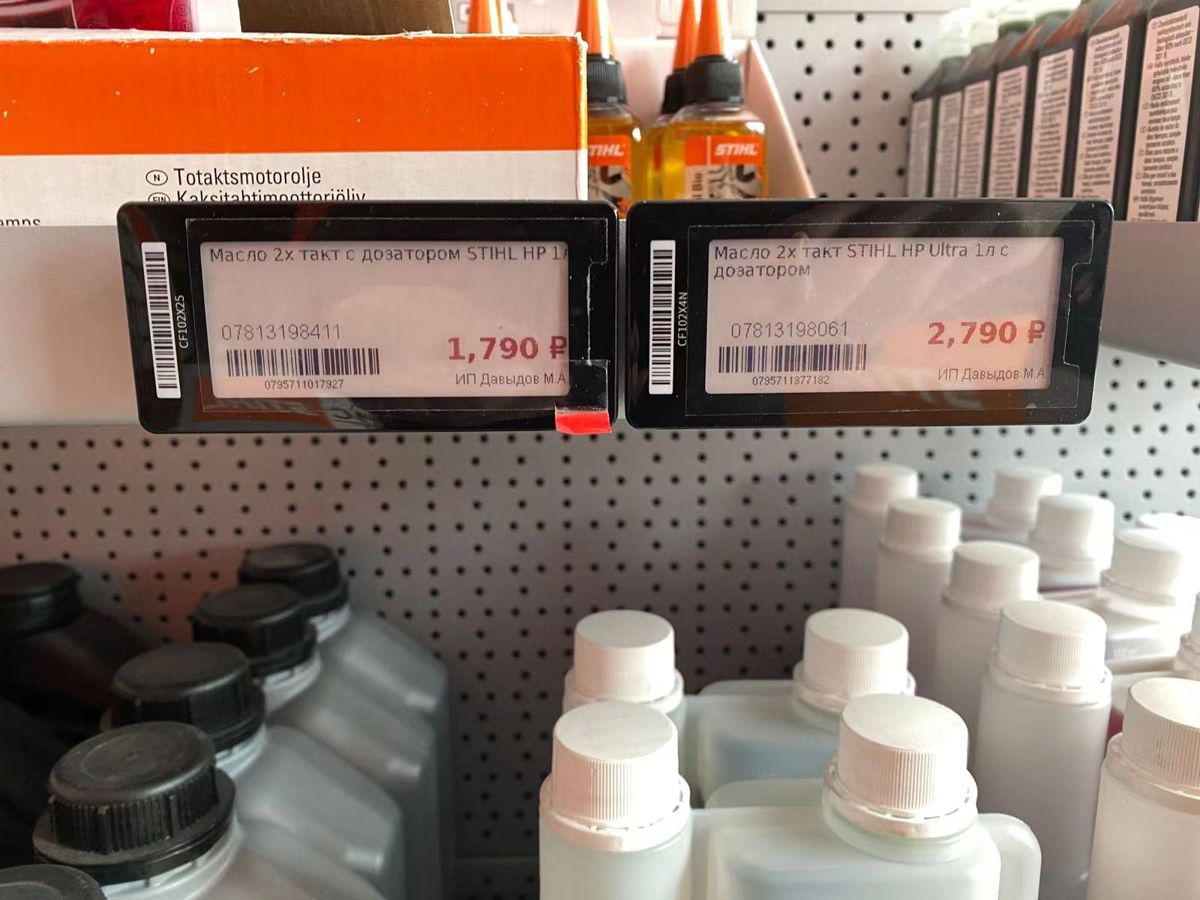
Garden machinery and tools shop, Russia
A dealer for chainsaws, trimmers and garden tools hung products on pegboard walls and mounted larger labels between them. The bigger display gave room for the model, key specification and price in roubles, readable from the aisle.
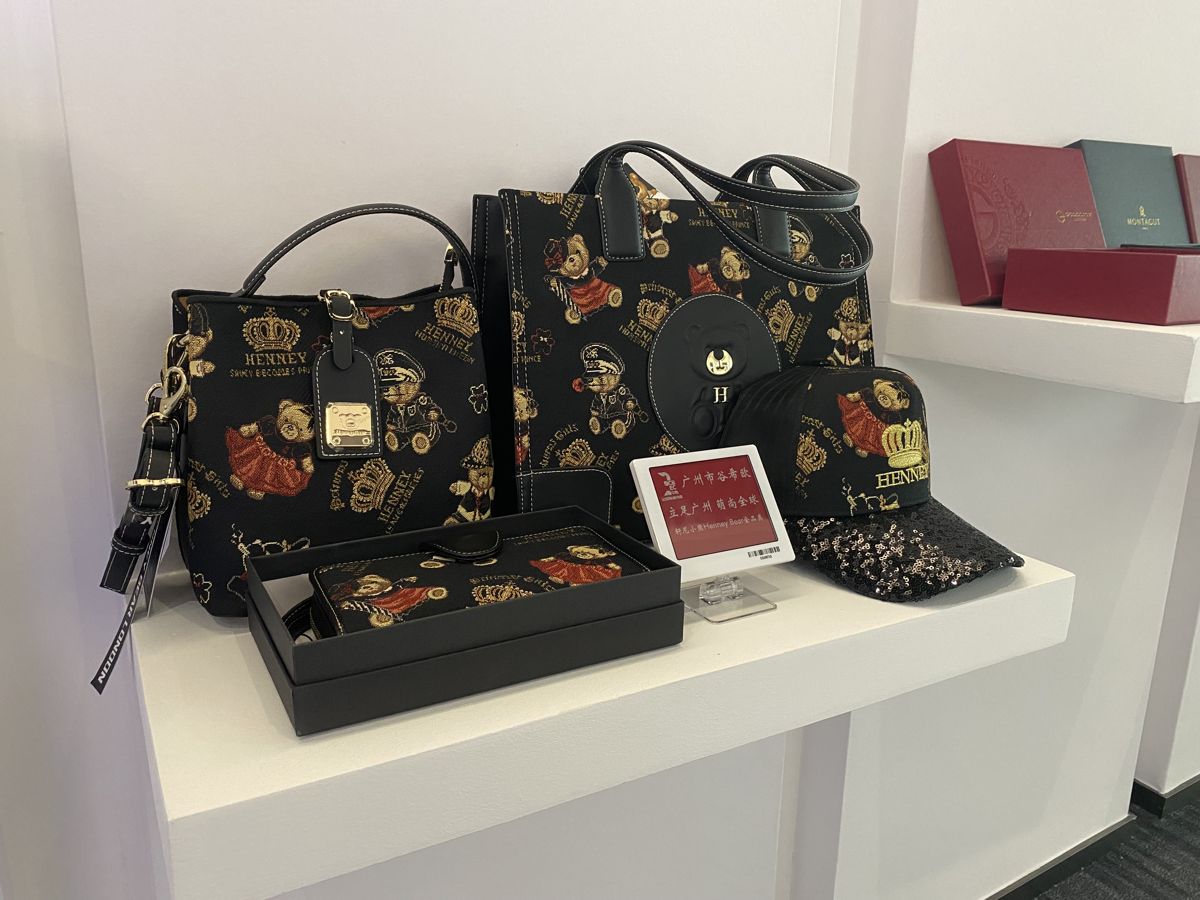
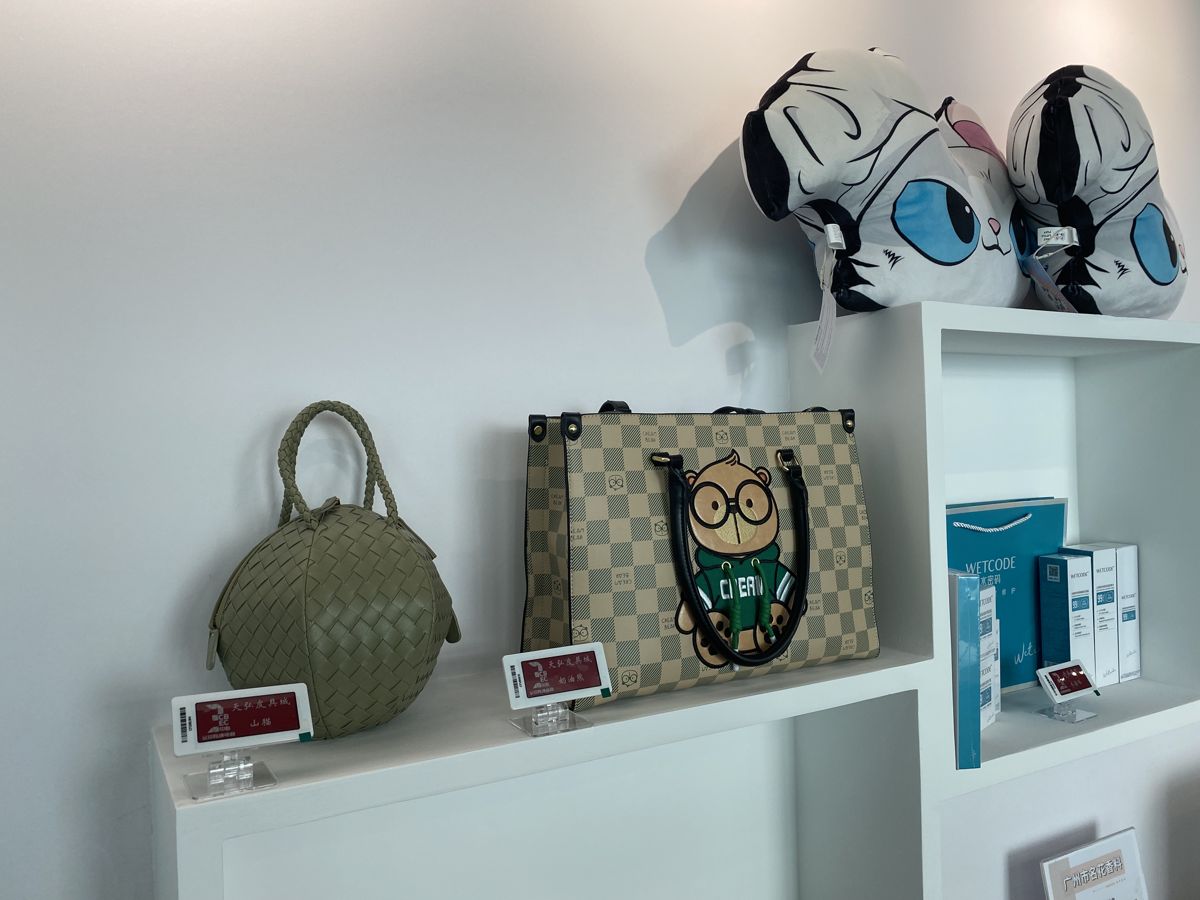
Bags and leather-goods mall, China
Boutique-style displays of handbags and leather goods used small labels on white shelving and stands. In fashion, the label should not compete with the product, so slim housings and short text work best.
Choosing label sizes and series for retail fixtures
| Fixture | Suggested size | Notes |
|---|
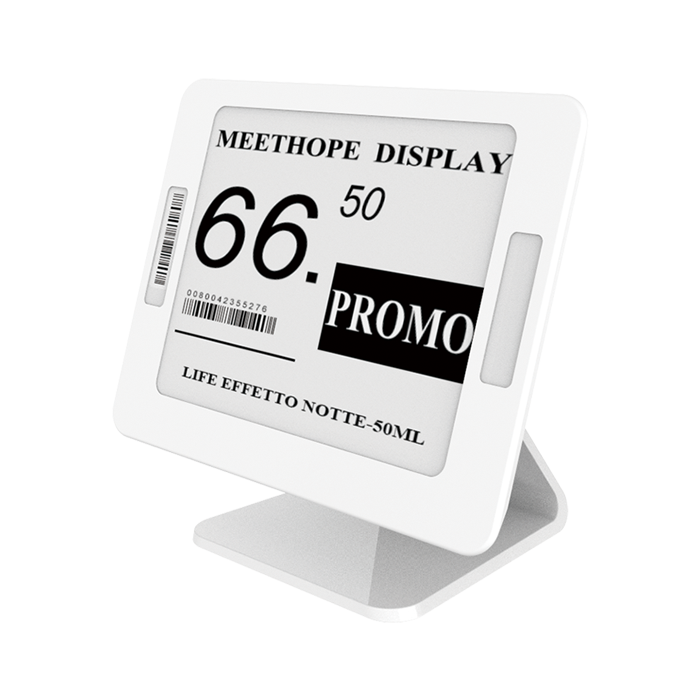
| Standard shelf edge (grocery, pharmacy) | 2.13" | Price, name, unit price and barcode; the most common ESL size |
| Shelf edge with promotion or origin | 2.66" / 2.9" | Room for a promotion line, origin or stock note |
| Chillers and freezers | 2.13" / 2.66" freezer models | Rated −25 to +30 °C |
| Fresh produce, seafood, misting | 4.2" waterproof (IP67) | Readable from a distance; resists water |
| Small items, cosmetics, jewellery | 1.54" | Small footprint next to the product |
| Electronics tables, pegboards | 3.5" / 4.2" | Model, key specification, price and QR code |
| End caps and promotion tables | 5.83" / 7.5" | Offer price and image |
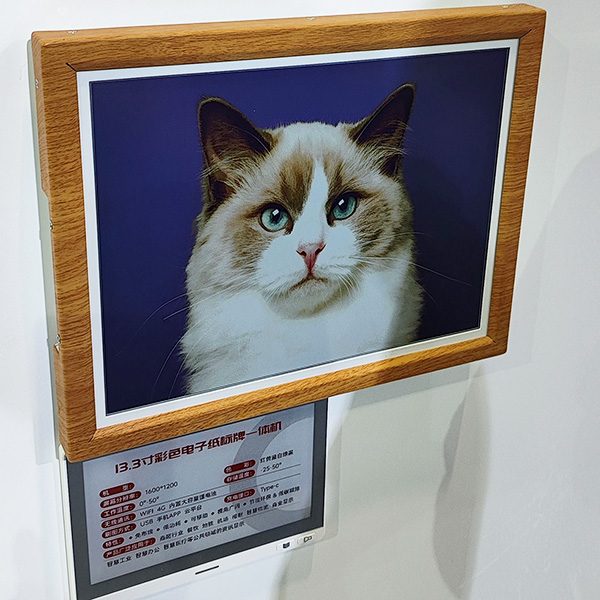
| Category and aisle signs | 10.2" – 13.3" | Large-format e-paper without cabling |
All five of our series — Swift, Classic, Lite, Slim and Rock — run on the same base station and software, so you can mix them in one store: for example Swift labels on standard shelving and the 11.2 mm Slim series in a beauty or fashion area. See electronic shelf labels for sizes, MOQ and lead times.
How a retail rollout is planned
- Store survey. Count price positions by fixture type (shelf, chiller, freezer, hook, table, wet area) and review the floor plan for base-station positions.
- Pilot. Start with an ESL demo kit or one aisle to test templates, mounting and the connection to your POS.
- Template design. Agree what each label shows: product name, price, unit price, promotion, origin, barcode, QR code. Design separate templates for regular price and promotion.
- Integration. Connect your POS or ERP to the management system so price changes flow automatically (see below).
- Installation. Fit rails and clips, mount base stations, then add each label by scanning its barcode and binding it to the product.
- Go-live and training. Staff learn to bind new products, handle exceptions and replace batteries when the system flags a label.
A single store can be labelled section by section while it stays open; most of the effort is in preparing product data and templates, not in mounting hardware.
Connecting labels to your POS or ERP
For most retailers the integration is simple: the POS or ERP pushes product changes — code, name, barcode, price and up to 32 custom fields — to the management system through our REST API, and the system takes care of rendering and delivering each label. A Postman collection with ready-made requests is supplied for the developer. Integrators who run their own platform can license the MQTT protocol and drive the base stations directly, and SDKs are available for Python, Java and Go.
Useful custom fields in retail include promotion price and end date, unit price, origin, loyalty price, stock status and a product URL for a QR code.
Designing label templates that shoppers can read
An electronic label is only as useful as its template. The most common mistake is to copy the old paper tag onto a small screen and fill every pixel. Shoppers glance at a shelf label for a second or two, usually from an angle and from a metre away, so the template should put one thing first: the price.
- Make the price the largest element, and keep the currency and decimals legible rather than tiny.
- Keep the product name short — two lines at most on a 2.13" label. Long names belong on larger labels or behind a QR code.
- Show the unit price where shoppers compare pack sizes, such as per kilogram, per litre or per 100 g.
- Use colour for meaning, not decoration. On four-colour labels, reserve red or yellow for promotions so they stand out when they appear.
- Design a separate promotion template with the offer price, the regular price and the end date, so the switch is automatic when a promotion starts.
- Add a barcode or QR code for staff scanning and stock checks, or for customers who want more product information.
Templates are built in the browser-based editor of the management system with static fields (fixed text such as “Offer”) and dynamic fields bound to product data (price, promotion, origin). One template per label size and colour type is usually enough for a whole category.
Common mistakes in retail ESL projects
- Underestimating product data. Labels display what is in the system. Missing unit prices, inconsistent names or outdated promotion data show up immediately on the shelf, so clean the data before go-live.
- Planning base stations from the floor plan alone. Metal shelving, freezer doors and walls shorten radio range. A short site check, or a pilot aisle, avoids dead spots.
- Choosing one label size for everything. A label that is right for dry goods is too small for fresh produce and too large for cosmetics. Plan sizes by fixture type.
- Forgetting the mounting hardware. Rails, clips, hooks and stands must fit your existing shelving; check the shelf-edge profile before ordering.
- Not defining who maintains the system. Decide who binds new products, who replaces flagged batteries and who changes templates, and train them before the store goes live.
What drives the cost of a retail ESL project
The budget depends mainly on the number of labels and their sizes, the number of base stations (store size and layout), mounting accessories for your fixtures, the software licence, and the integration work. Special environments — freezers, wet areas — and large-format labels add cost per position. We quote per project after a store survey; send us your position count by fixture type for a first estimate.
FAQ
How long does it take to install electronic shelf labels in a store?
Hardware installation is usually the quick part; preparing product data, templates and the POS connection takes longer. A store can be labelled section by section while it stays open, and a pilot with a demo kit can start within days.
Do electronic shelf labels work in freezers and fresh departments?
Yes. Freezer models are rated from −25 to +30 °C, and the 4.2" waterproof label has an IP67 housing for seafood, ice and misting areas.
Can labels show promotions in colour?
Yes. Four-colour labels display black, white, red and yellow, so a promotion can be highlighted on the label itself instead of with an extra paper sign.
Can we mix different label series in one store?
Yes. All AiEInkSmart series use the same AES-AP01 base station and management system.
What happens to the labels if the network goes down?
E-paper keeps showing the last image without power, so prices stay on the shelf. Updates resume when the connection returns.
How often do the batteries need replacing?
Typically every 5–10 years at 2–4 updates per day. The system reports battery levels, so you replace cells only where a label is flagged.
Planning ESL for your stores? Send us your store format and number of price positions by fixture type, and we will propose label sizes, base-station count and a pilot plan — or start with an
ESL demo kit.